

Get ClickUp Running
in 4 Days
A 4-day video course, a quick-reference guide, and the checklist I use with paid clients. It suits solo operators and small teams.
No credit card. The download link lands in your inbox in a minute.
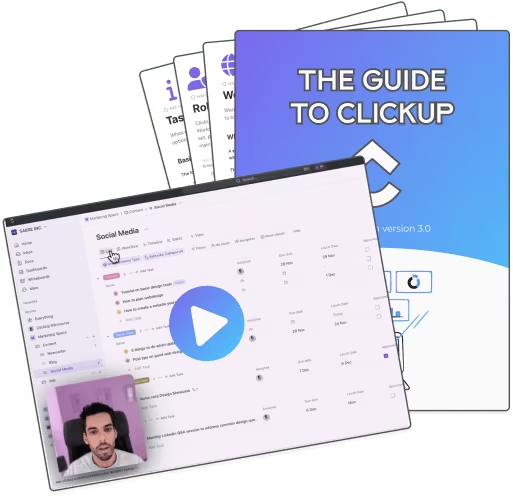
3 pieces. One outcome.
A short video each morning, the cheat sheet to keep open in another tab, and a checklist that tells you when you're done.
The 4-Day Video Course
10 minutes of video each morning, paired with a thing to build that day. By Sunday evening you have a working ClickUp.
- Day 1
Foundations
Workspace, hierarchy, statuses, custom fields.
- Day 2
Your first project
Move one real project into ClickUp from start to finish.
- Day 3
Automate the boring
Status changes, reminders and recurring tasks.
- Day 4
Onboard the team
Permissions, defaults and the first team standup.
Quick-Reference Guide
The cheat sheet I keep open during client builds. Naming rules, view defaults, the settings to change on day one.
Implementation Checklist
The settings, permissions and toggles sit in one list. Tick boxes until you hit the end. No second-guessing.
From someone who does this for a living
UpSys is a verified ClickUp consulting service.
Clients like Brut and Joi Gaming see
- Manual status updates gone
- Capacity back on client work
- Team morale up, status-update meetings gone
The guide is the short version of what they paid for. Same logic, same checklist, applied to a workspace small enough to set up in a weekend.
Who put this together

Ramzi Tabka
UpSys Founder & ClickUp Expert
I've configured 30+ ClickUp workspaces for teams from 3 to 200 people. The same 5 mistakes show up in almost every self-built setup I open. This guide is the short version of how I avoid them on paid engagements. If it helps, you'll know within a week. If it doesn't, unsubscribe in one click.
Before you sign up
Is the guide really free?
How much time per day?
Do I need a paid ClickUp plan?
I already use ClickUp. Will this still help?
What happens after I submit my email?
Get the same setup, in 4 mornings
Drop your email and the first lesson lands in your inbox in under a minute.